
What's New in Winden Tokens: Latest Features and Updates
Overview
This tutorial provides a comprehensive walkthrough of the latest improvements and new features added to Winden Tokens. Whether you’re a new user or have been using the plugin for a while, this update video will help you understand what’s new and how to take advantage of the latest capabilities.
What You’ll Learn
In this tutorial, you’ll discover:
- Latest Features: New capabilities added in recent releases
- UI Improvements: Enhanced user interface and user experience updates
- Workflow Enhancements: Improved workflows for design token management
- Performance Updates: Optimizations that make the plugin faster and more efficient
- Best Practices: Tips for using the new features effectively in your design system
Key Highlights
Some of the major updates covered in this video include:
- Enhanced variable management capabilities
- Improved collection organization
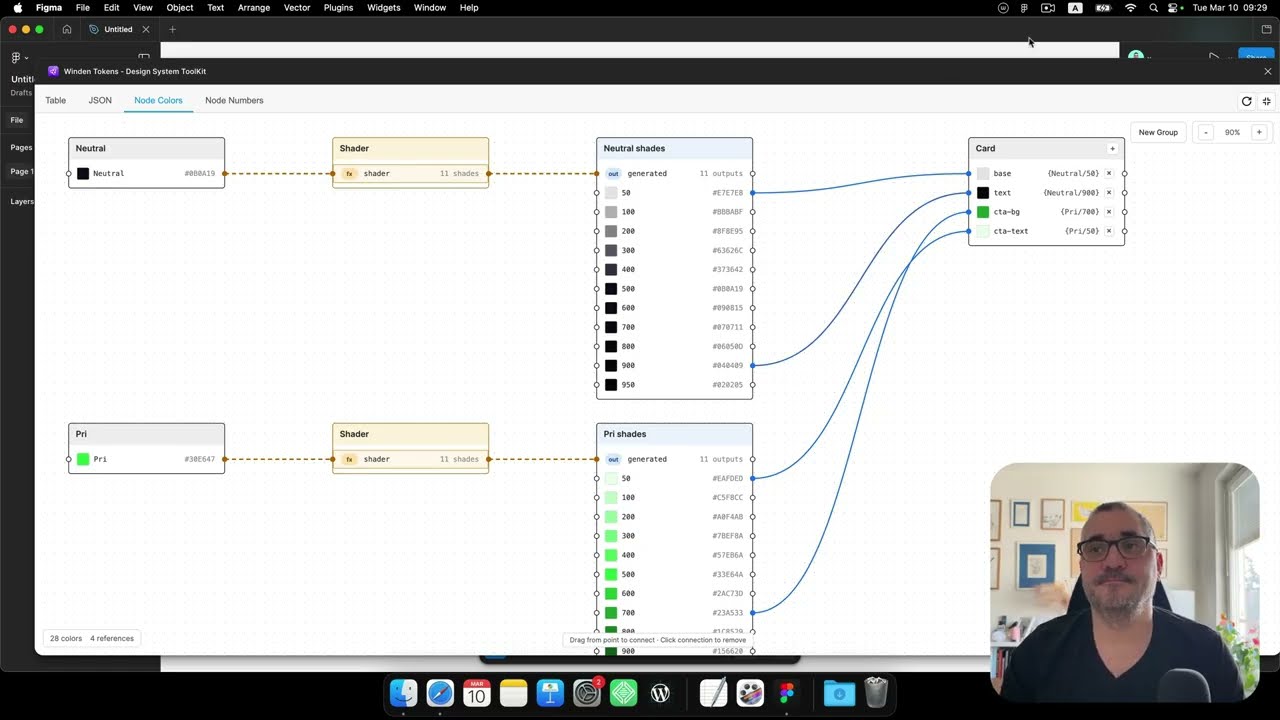
- Better token visualization
- New bulk editing features
- Performance improvements for large design systems
Getting Started
If you haven’t installed Winden Tokens yet:
- Go to Plugins > Development > Import plugin from manifest in Figma
- Select the
manifest.jsonfile from the GitHub repository - Or build from source using
npm run build
Staying Up to Date
To keep up with the latest updates:
- Check the Release Notes regularly
- Subscribe to our YouTube channel for video tutorials
- Follow the GitHub repository for code updates
- Join the community discussions
Related Resources
- Documentation
- More Tutorials
- Version 1.1.0 Release Notes
- Version 1.0.0 Release Notes
- Design Tokens Best Practices
Have Questions?
If you have any questions about the topics covered in this tutorial, feel free to:
- Open an issue on GitHub
- Watch more tutorials in our tutorial series
- Check out our comprehensive documentation
Want to see more tutorials? Subscribe to our YouTube channel and enable notifications for the latest updates!